Lists, organised.
Your day doesn't live in one folder. Lists organises around the way you actually plan. Spaces that travel with you. A Today view that pulls only what matters. A calendar that shows the shape of your week.
A list app that moves with you.
The parts you use every day, built with the care they deserve. And a few ideas most task apps got wrong.
Spaces
A Space for work. A Space for a project. A Space for life. Group lists, tasks, and context, then travel between them with a two-finger swipe on Mac, a one-handed swipe on iPhone.
Today
One focused surface for what matters now. Overdue. Today. Tomorrow. This week. Pulled from every list in the Space you're in. One glance. One plan.
Calendar
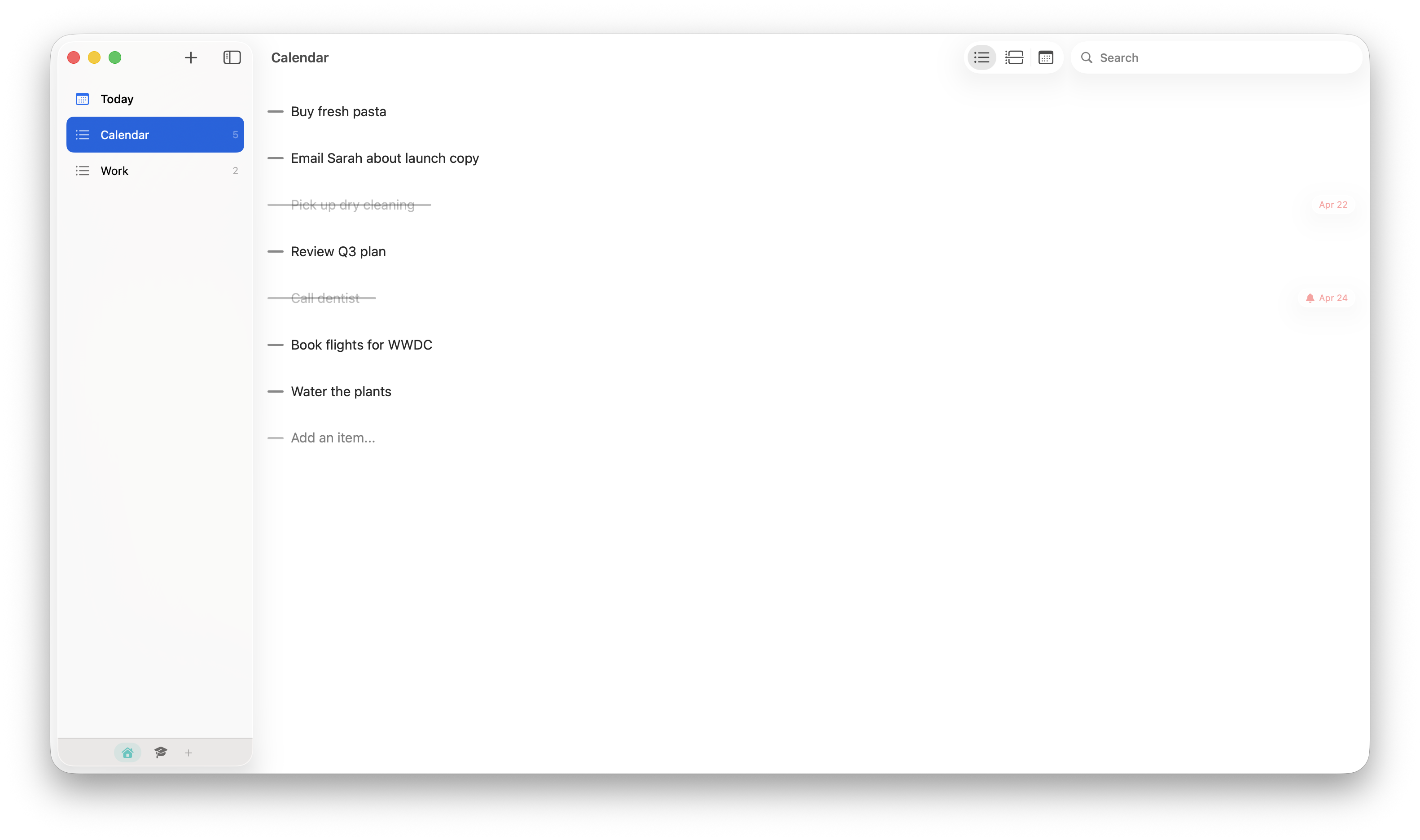
The shape of your week at a glance. A month grid marks the days you've committed to. An agenda below shows what the day actually holds.
Natural language dates
Type "pick up dry cleaning tomorrow" or "book flights Friday." Lists parses the date, attaches it to the item, and the chip slides in where it belongs. No calendar picker. No friction.
And so much more
Everything you'd expect from a native list app, and a few touches you wouldn't.
Natural language dates
Type "tomorrow 3pm" or "next Tuesday." Lists understands.
Drag to reorder
Reorder items, lists, and Spaces with direct manipulation.
Swipe to delete
Swipe left on any item to remove it. Undo is one tap away.
Full-text search
Find any item across every list in the current Space, instantly.
Haptic feedback
Subtle touch feedback when you complete, switch, or reorder.
Liquid Glass UI
Built for macOS 26 and iOS 26 with the new native material.
Cross-app context
Your Spaces carry over to Scribe. Work in one is context in the other.
Keyboard-first
Every action has a shortcut. Add, complete, date, move.
End-to-end encrypted
Your lists sync encrypted. Tetrix can't read them.